What text-to-SQL is
Text-to-SQL, called natural language to SQL in academic literature, is the task of converting a human-language question, "what was MRR by plan last quarter", into a database query that can be executed against a real warehouse to return the answer. On PostgreSQL specifically, that means emitting valid Postgres SQL that respects the live schema, types, foreign keys, and dialect features.
The category contains everything from a single LLM prompt with the schema pasted in, to a full pipeline that profiles the database, resolves business terms, walks the foreign-key graph, validates output, and saves reviewed queries as reusable skills. The rest of this page is honest about which parts of that range work and which still break.
The five-stage text-to-SQL pipeline on Postgres (and which two break)
On a real PostgreSQL warehouse, a useful text-to-SQL implementation has five named stages. Skipping any of them is the most common reason demos look great and production stops working. Click a stage below to expand.
A real Postgres warehouse has thousands of columns. The parser inventories every table the role can see, captures column types, nullability, defaults, indexes, and foreign-key edges. Without this graph the model is guessing at joins from column-name similarity alone.
In a naive wrapper, stages two through four collapse into a single prompt to a language model. That is the source of most of the failure modes covered in the next two sections.
Validation: enforce read-only SELECT, cap the rows, and trust the number
These are the named failures that matter when a non-trivial question hits a non-trivial schema. They split into two groups: schema-linking failures, where the query picks the wrong tables or columns, and logic failures, where the joins, grain, or NULL handling are wrong. None of them are exotic; they show up on the first afternoon of any serious pilot, alongside the security ones, like prompt injection.
Ambiguous joins → row counts look fine, the numbers are wrong
Two foreign-key paths between the same pair of tables and no signal in the prompt about which one is intended. Pick wrong and the row counts look fine but the numbers are not.
Grain inflation → your number is wrong by 7x
Joining a one-row-per-customer table to a one-row-per-invoice-line table multiplies customer-level metrics by line count. The query runs. The number is wrong by a factor of seven.
NULL handling → your average counts the wrong denominator
COUNT(col) skips nulls. COUNT(*) does not. SUM over a column with nulls is fine; AVG over the same column treats them as missing rather than zero. The default depends on the metric, not the syntax.
Dialect drift → it runs on Postgres but ignores what Postgres does best
Generic text-to-SQL often emits ANSI-ish SQL that runs on Postgres but ignores the Postgres-specific features that matter: date_trunc, generate_series for gap-filling, FILTER clauses on aggregates, jsonb operators.
Time window inference → the answer silently shifts by weeks
"Last quarter" is the previous calendar quarter, not the trailing 90 days. "This year" means YTD on the current date, not the full year. Getting these wrong silently shifts the answer by weeks.
Categorical resolution → the filter matches zero rows
A prompt says "lane A vs lane B". The actual values in the column are LN-A-2024 and LN-B-2024. Without a sampling pass the model fills in a string that matches zero rows.
Where text-to-SQL still fails
Published benchmark scores are not a production accuracy rate. They are measured against a named dataset with its own schemas and its own question mix, so before you carry a number into a decision, check which dataset, which model, and which scoring method produced it. The failure modes below are what teams keep hitting on their own schemas, independent of any particular tool or benchmark.
Business definitions
There is no column called "active customer". Active is a filter expression that the business agreed on. A text-to-SQL tool with raw schema access cannot know it.
Re-asks of the same question
Naive pipelines re-run the entire pipeline on every prompt: schema parse, intent, join resolve, synthesize, validate. Same question Tuesday and Wednesday can produce two different SQL queries because the model is non-deterministic.
Schema drift
A column rename on Monday silently breaks the cached query on Tuesday. Without a column-profile generation tag, the pipeline keeps emitting SQL that references the old name until something fails loudly.
Multi-step questions
"For customers who churned last month, what plan were they on?" requires two queries chained, with the first feeding the second. Single-shot text-to-SQL often collapses this into one query that gets the grain wrong.
Numbers that have to match the dashboard
A finance lead will not trust a number that does not match the one finance already publishes. The tool needs the same filter expression finance uses, not a freshly invented one.
None of these are model-quality problems. They are pipeline-design problems. Ambiguous joins and business definitions are what a semantic layer grounds. Throwing a smarter model at a re-ask of the same question still produces a different SQL query than the first time.
Text-to-SQL tools on Postgres: 4 categories, ranked by how much you can trust the answer
The text-to-SQL category is broader than it looks. Four shapes are common in production today, and they trade off accuracy, scope, and how reusable the output is.
Category 1
LLM-wrapper SQL chat
A prompt window with the schema pasted in. Fastest to ship, weakest on joins, no validation, no reuse. Useful for exploration, not for production answers.
Category 2
Query builders (no AI)
Typed UI with dropdowns. Cannot return a wrong answer because the UI cannot express one. Caps the questions you can ask to whatever the builder exposes.
Category 3
Postgres-native SQL query generator
Pipeline-based. Inventories the live schema, resolves intent, validates read-only. See the SQL query generator for the dedicated product page on this category.
Category 4
Saved-skill AI analyst (Chion)
Runs the full pipeline once, validates, and saves the reviewed output as a reusable SQL skill. Eliminates the re-ask drift category 3 still has.
For a row-by-row head-to-head against thinner wrappers in categories 1 and 2, see the Chion vs text-to-SQL tools comparison.
Ask once, reuse the SQL: how a saved skill kills the re-ask
The single largest reliability gain comes from refusing to re-synthesize the same query twice.
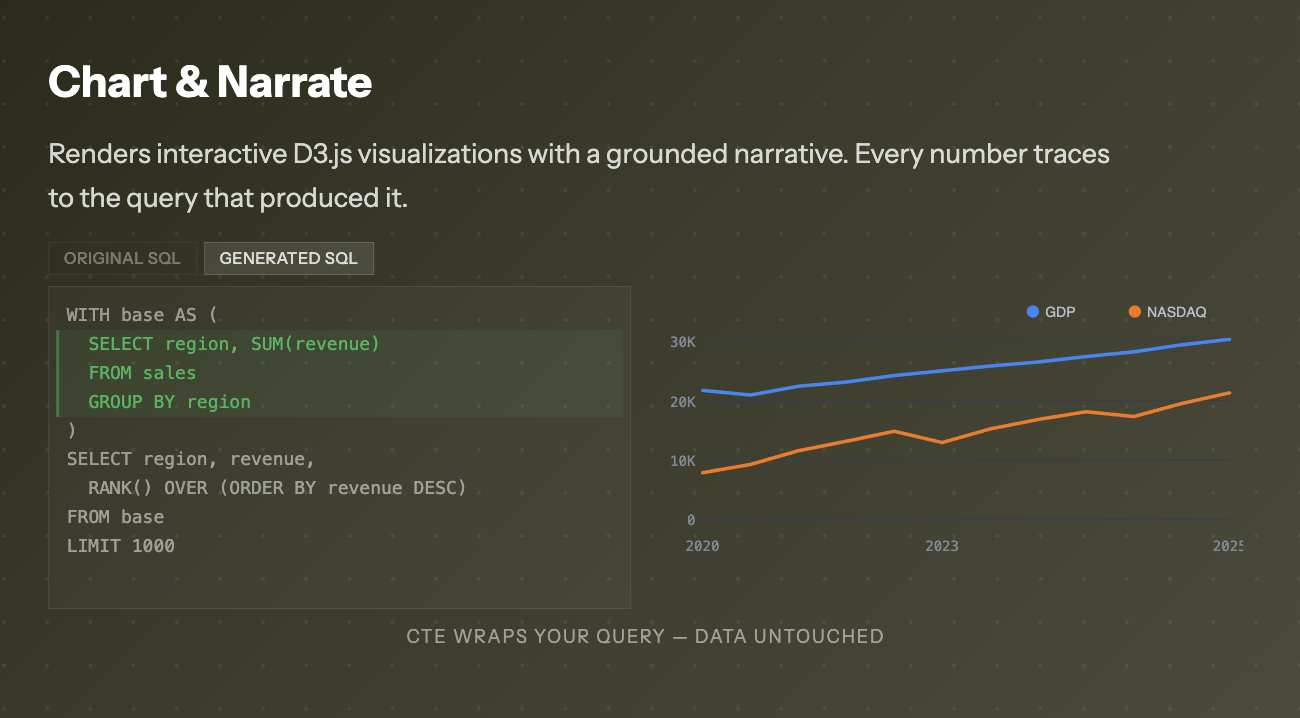
The single largest reliability gain in text-to-SQL does not come from a better model. It comes from anchoring a repeat question on logic a reviewer already read. Chion runs the full five-stage pipeline once, validates the SQL against a read-only Postgres connection, and then offers to save the reviewed query in Studio as an auto-generated SQL skill, a SKILL.md the next matching prompt anchors on.
The practical effect is a SQL skills generator that compounds over time. Tuesday's question is also Wednesday's question. With a skill in place, Wednesday anchors on the SELECT Tuesday saved, and the new outer query is generated against it. The same chat interface still answers novel questions through the full pipeline; only the re-asks short-circuit.
Re-guess every time
Same prompt on Tuesday and Wednesday hits the full pipeline twice. Schema drift, model non-determinism, and intent ambiguity all get re-rolled.
Result: two different SQL queries, two slightly different numbers.
Auto-generated SQL skill
Run the pipeline once. Validate. Save it. The next matching prompt anchors on the saved and reviewed SELECT instead of re-deriving the joins.
Result: one reviewed base query, one set of joins.
The single largest reliability gain in text-to-SQL does not come from a better model.
For the full mechanics of how the synthesis stage actually emits PostgreSQL from a structured intent, see the SQL query generator page. For what makes the executing layer trustworthy (read-only enforcement, audit trail, and the rest), see the four production checks. For a head-to-head against thinner text-to-SQL wrappers, the Chion vs text-to-SQL tools comparison walks the differences row by row. This page stays on the mechanics.
Quick reference
- Text-to-SQL on PostgreSQL is five stages: schema parse, intent, join resolve, synthesis, validation.
- Most failures live in stages two and three, not in the synthesis model.
- The hard parts are ambiguous joins, grain inflation, NULL handling, dialect drift, time inference, and categorical resolution.
- Text-to-SQL still fails on business definitions, re-asks, schema drift, multi-step questions, and dashboard parity.
- A SQL skills generator runs the pipeline once and saves the reviewed output as an auto-generated SQL skill the next matching prompt anchors on.
- Natural language SQL skills and conversational SQL skills are the durable, reusable form of a one-off text-to-SQL answer.
Frequently asked
What is text-to-sql, in one sentence?
Text-to-SQL is the process of turning a natural language question into a database query that can run on a real warehouse and return a result.
How does text-to-sql actually work?
On a real PostgreSQL warehouse it works in five stages: schema parsing (read information_schema and foreign-key edges), intent resolution (turn the prompt into a structured plan), join resolution (walk the FK graph to the shortest valid path), query synthesis (render Postgres-specific SQL), and validation (parse, lint, enforce read-only, execute, classify errors). Naive wrappers collapse stages two through four into one model call. That is where most production failures come from.
Why does text-to-SQL hallucinate?
Two failure groups cover most of it: schema ambiguity (thousands of columns and multiple foreign-key paths between the same tables) and join or grain errors that quietly inflate the number. The model guesses wherever the schema or the business definition is unclear. The fix is to validate the query once against the live connection and save it as a reusable SQL skill, so a re-ask anchors on the saved and reviewed SELECT instead of re-deriving the joins.
Is text-to-sql accurate enough to trust in production?
On simple lookups (one table, one filter), modern text-to-SQL is accurate enough. On analytical questions that span joins, aggregations, grain, and business definitions, accuracy drops sharply unless a semantic layer pins the definitions and reviewed queries are saved as reusable skills. Accuracy is a pipeline-design question, not a model-quality question.
Does text-to-sql work on Postgres specifically?
Yes, and Postgres is where it works best. The synthesis stage can take advantage of date_trunc, FILTER clauses on aggregates, generate_series for gap-filling, and jsonb operators, features that generic ANSI-style text-to-SQL often misses. A Postgres text-to-SQL pipeline also benefits from rich introspection via pg_class and pg_constraint, so the join graph is real, not guessed.
Text-to-sql vs a query builder: which should I use?
A query builder is a typed UI: dropdowns for tables, columns, filters, joins. It cannot return a wrong answer because it cannot express one, but it also caps the questions you can ask to what the builder UI exposes. Text-to-SQL is open-ended: any English question, including ones the builder cannot represent. The pragmatic answer is both: a query builder for known reports, text-to-SQL for ad hoc questions, and saved SQL skills so repeat ad hoc questions start from reviewed logic.
Is natural language to SQL the same as text-to-sql?
Yes. Natural language to SQL, text-to-SQL, and conversational SQL skills all describe the same outcome: a user types a question, the tool emits the matching SQL. The differences live in how the tool handles schema, joins, validation, and whether the result is reusable.
Why is text-to-sql harder on a real warehouse than on the demo schema?
Demo schemas have a few dozen friendly column names and obvious foreign keys. Real warehouses have thousands of columns named like amt_v2_final_2024, multiple foreign-key paths between the same tables, and business rules that live outside the schema entirely.
What is a sql skills generator?
A SQL skills generator turns a validated query into a reusable SKILL.md the next matching prompt anchors on.
Does text-to-sql work for analytics, or only for simple lookups?
Simple lookups (one table, one filter) work well. Analytics that span joins, aggregations, grain, and time windows need every stage of the pipeline working correctly, and need a semantic layer for the business definitions. Without those, output quality drops sharply as the question gets harder.
What does Chion do that a thin text-to-sql wrapper does not?
Chion runs the full pipeline once, validates against the live Postgres connection, and then saves the reviewed query as an auto-generated SQL skill. The next matching prompt anchors on the saved and reviewed SELECT instead of re-deriving the joins: one reviewed base query, one set of joins.
Which dialect does this discussion assume?
PostgreSQL. The synthesis stage notes Postgres-specific features (date_trunc, FILTER, jsonb, generate_series). Other engines change the synthesis layer but not the shape of the pipeline.
Run the pipeline once. Anchor every re-ask on the reviewed SELECT.
Connect a read-only Postgres role, ask a question, validate the SQL, and save it as an auto-generated SQL skill. Read-only SELECT. Credentials in an AES-256-GCM vault. Results capped at 1,000 rows. Each executed query leaves an audit row, written fire-and-forget so a logging failure never blocks your answer.