What is an AI data analyst? The one-sentence definition
An AI analyst is an agent that converts natural language business questions into code-validated SQL, runs the query against a connected database, and returns a chart with an explanation a non technical reader can trust. Some teams call the same role an AI data analyst, a conversational analytics agent, or a Postgres AI agent. They are the same thing.
Said differently, an AI analyst does the part of the human analyst's job that is repetitive but not low stakes. The ad hoc questions like "what was revenue last quarter by region" that today eat analyst hours and block business decisions.
An AI data analyst answers what a dashboard never charted
The honest comparison is not AI vs. human. It is a three way split between the workflow you have today and what an AI data analyst actually changes.
| Human analyst | BI dashboard | AI analyst (Chion) | |
|---|---|---|---|
| How you ask | Slack the analyst, wait | Click filters, hope a chart exists | Type the question in plain English |
| Time to answer | Hours to days | Fast, if the chart exists | On demand, for any question |
| Shows the SQL | In a thread, maybe | Hidden in the BI tool | Under every chart, always |
| Auditable | Manual | Limited to predefined queries | An audit row per executed query |
| Hallucinates | No | No | No. Read-only execution, and every figure traces to a row in the result set. |
AI analyst vs AI data analyst
"AI analyst" and "AI data analyst" are the same role described with two slightly different labels. Both refer to a software agent that takes a natural-language business question, generates code-validated SQL, executes it read-only against a connected database, and returns a chart with a grounded explanation. Different vendors and analyst reports use the terms interchangeably to describe one role.
If a distinction is ever drawn, "AI data analyst" is sometimes used to emphasize the data side (schema understanding, semantic layer, warehouse connection), while "AI analyst" leans toward the analyst side (chart selection, narrative, recommendation). In practice, you cannot do one without the other, which is why Chion ships them as a single product: one agent that resolves the schema and writes the narrative in the same pass.
Adjacent labels you may see in the same job posting: conversational analytics agent, AI SQL analyst, Postgres AI analyst, and AI BI analyst. They share the same definition. Pick the one your team already says out loud.
How an AI data analyst turns a question into code-validated SQL in 13 phases
A trustworthy AI analyst is not a single LLM call wrapped in a chat box. The Chion pipeline runs in 13 distinct phases, grouped here into 5 readable stages covering intent classification, schema discovery, SQL contract design, code-validated SQL execution, and D3 charting with grounded narrative. Click any stage to expand the detail.
1. Intent
Parse the question.
1. Intent
Parse the question.
Every question typed into the Chion AI analyst is first classified as a chart request, a follow up turn, a navigation action, or a vector Q&A. The router then dispatches the work to one of three pipelines: a charting path for code-validated SQL and D3, a conversational path over saved query templates, and a discovery path across your semantic layer.
2. Discovery
Resolve schema, entities, and time grain.
2. Discovery
Resolve schema, entities, and time grain.
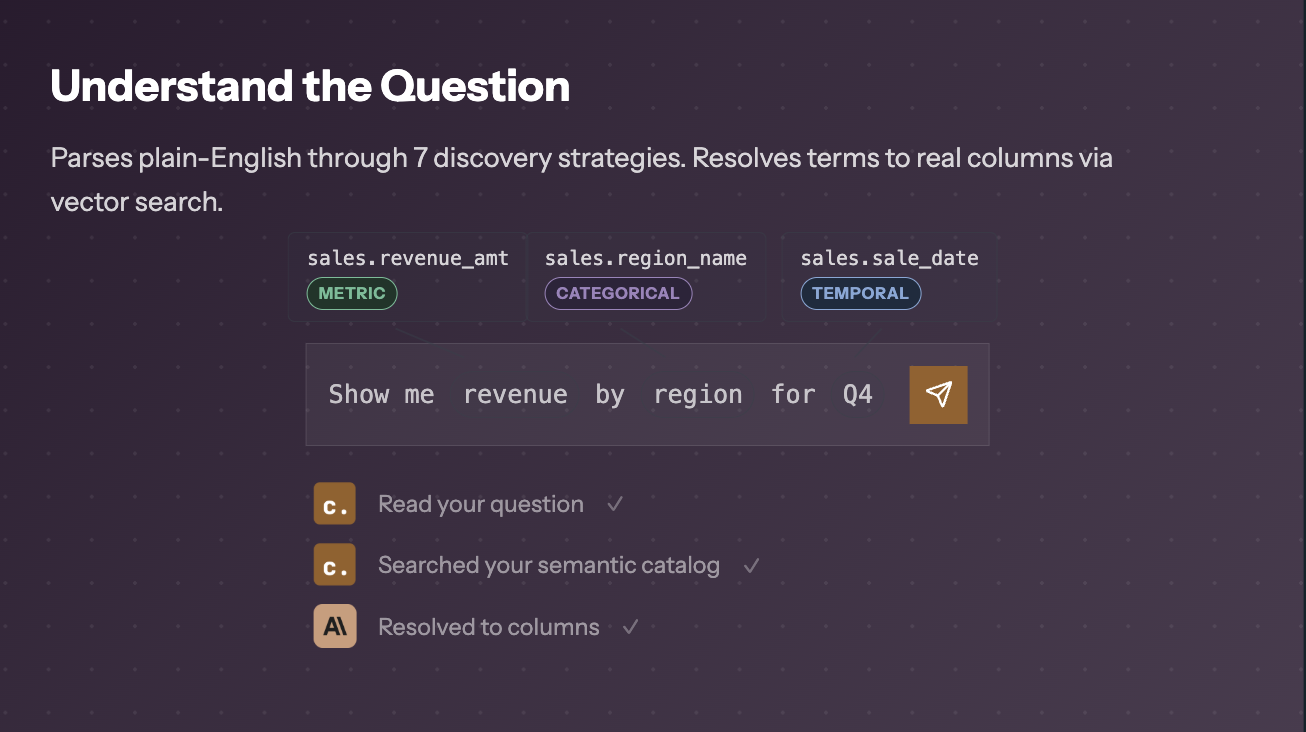
Discovery is the part of the AI data analyst that most text-to-SQL tools skip. Chion resolves the question against a semantic layer (business names, additivity, categorical samples) before any SQL is written, and the model receives your table and column names plus sampled column values rather than the tables themselves. How that layer is structured and populated is covered in the semantic layer for SQL guide.
3. SQL contract
Pick the right strategy and shape.
3. SQL contract
Pick the right strategy and shape.
The SQL contract is where Chion locks intent into a validated shape. One of seven query strategies is selected: entity lookups, comparisons, top-K rankings, extrema, dimension breakdowns, universal quantifiers, and time-bounded scans. Which columns become the axis, the measures, the series, and the stack are all committed before a single line of SQL is generated. This is what makes the agent feel like a senior analyst instead of an autocomplete.
4. Code-validated SQL
Read-only, capped, triple validated.
4. Code-validated SQL
Read-only, capped, triple validated.
Every query is SELECT-only, capped, and validated in three layers before a row is returned. The enforcement mechanics, how reads are guaranteed, how credentials are vaulted, and what lands in the audit log, are documented end-to-end in the SQL agent guide.
5. Chart and narrative
Render in D3, explain in plain English.
5. Chart and narrative
Render in D3, explain in plain English.
Results are mapped onto one of eight D3 chart types: single and multi-series lines, dual-axis, stacked area, and standard, grouped, stacked, or animated bar charts. The narrative is then written by the LLM from the rows your query returned and the aggregates computed over them. This is the grounding step that prevents the hallucinations you see in generic conversational analytics tools.
Every phase is reviewable inside the Chion codebase and exportable as a portable SKILL.md skill (read the CHION.md skill specification) that you can run in Claude Code or Codex.
Why the semantic layer is the heart of an AI analyst
The single biggest reason most AI data analyst products feel unreliable is that they skip the semantic layer. They point an LLM at a raw schema and hope. Chion does the opposite: business terms like "revenue" and "enterprise customer" are bound to physical columns before any SQL is written, so the answers resolve the same terms your dashboards resolve.
For the full mechanics (business-name binding, additivity, categorical resolution), see the dedicated explainer: how grain, joins, and filters get pinned down.
The 5 things an AI data analyst must do before you trust its answer
Strip away the marketing language and the role reduces to five concrete competencies. These are what the software has to do to behave like a senior analyst, not the buzzwords used to sell it.
SQL contract design
A real AI analyst locks column roles before writing SQL. That is what stops the LLM from inventing joins or guessing at foreign keys.
Semantic modeling
Binding business words like revenue, churn, and MRR to physical columns is what turns a generic text-to-SQL tool into a trustworthy AI analyst.
Read-only enforcement
A Postgres AI agent that can write to your warehouse is a liability. SELECT-only execution is non-negotiable, enforced in code rather than asked of the model.
Chart selection
Choosing between a dual-axis line and a grouped bar chart is a judgment call. The AI analyst makes it from data shape, cardinality, and the user intent captured in the contract.
Narrative grounding
Explaining a chart without inventing numbers requires bounding the narrative pass to the rows the query returned and the aggregates computed over them.
AI analyst tools and categories
The market splits into four loose categories. Knowing which category a vendor lives in tells you what the product can and cannot do, regardless of how the homepage is written.
1. Text-to-SQL tools
Convert English to a SQL string. Most do not execute. Useful for analyst productivity, not for business users. See text-to-SQL hallucination. Chion's SQL query generator executes and validates instead.
2. BI dashboards with AI chat
A chat box added to an existing dashboard tool. Answers are constrained to the metrics already modeled. Fast for predefined questions, blind to anything new.
3. Generic conversational analytics
A chat UI over a warehouse. Often skips the semantic layer and never shows the SELECT it ran. Fast demos, weak governance. See how follow-up questions are handled.
Export every saved and reviewed query as a portable SQL skill. Runs in Claude Code and Codex.
Read-only execution, semantic-layer grounded, one audit row per query. A SQL skill library built from queries saved and reviewed in Studio. See AI SQL workforce.
The category question matters more than the brand question. A category-1 tool will never behave like a category-4 tool, no matter how good the demo looks.
Why you can point this AI data analyst at production Postgres on day one
The market is full of demos that write SQL. Very few are safe to point at a production database. The line between the two comes down to three properties the agent must enforce, not promise: it can only read, your credentials are vaulted, and you can see what reaches the model. The model receives your table and column names, the rows your query returned for the narrative, and sampled column values. Read-only SELECT. Credentials in an AES-256-GCM vault. Results capped at 1,000 rows. Each executed query leaves an audit row, written fire-and-forget so a logging failure never blocks your answer.
Chion enforces those three properties in code. The mechanics, how SELECT-only is enforced, how credentials are loaded and purged, what lands in the audit log, are documented in the read-only SQL agent and the Trust Center. On this page we focus on what those guarantees buy you as a buyer: an analyst that can be pointed at your production Postgres on day one, without a security review committee.
When to bring in an AI analyst, and when not to
Use one for
- · Ad hoc questions nobody pre built a dashboard for
- · Slack channel data requests that pile up on the analyst
- · PM and CS teams who need a number before a meeting
- · Exploration before committing to a dashboard build
Don't use one for
- · Regulated financial reporting (use audited pipelines)
- · Multi step ETL or data writes (use dbt or Airflow)
- · Real time dashboards needing sub second refresh
- · Questions where the semantic layer hasn't been modeled
How Chion fits as an AI analyst
Postgres-first, semantic-layer grounded, every saved and reviewed query becomes a reusable skill.
Chion is a PostgreSQL-first AI analyst built around the four guarantees above. You connect a read-only database role, the semantic layer is auto-profiled into ai_semantic_attributes, and your team starts asking questions in plain English. Every answer arrives as a D3 chart with the code-validated SELECT underneath and a grounded narrative beside it.
The deeper bet: every query saved and reviewed in Studio becomes a reusable skill. A repeat question anchors on the query your team saved and reviewed: it becomes the base CTE, and a new outer SELECT is generated against it and code-validated before it runs. That reuse layer is what we call the AI SQL workforce, and it is what turns an AI analyst from a demo into infrastructure.
That reuse layer is what we call the SQL skill library, and it is what turns an AI analyst from a demo into infrastructure.
Adjacent product pages: the analyst product page covers the analyst-facing surface, and the conversational analytics page covers the business-user surface. Both run on the same validated pipeline described above.
Key takeaways
- An AI analyst converts natural language to code-validated SQL, executes it read-only, and charts the result.
- Chion is a Postgres AI analyst with a 13-phase pipeline; the trust mechanics (vault, audit, read-only) live in the SQL agent guide.
- The semantic layer is what keeps a term resolving to the same table, column, and filter every time.
- Agentic analytics works only when the reader can see which rows the narrative was written from.
- Queries saved and reviewed in Studio can be exported as portable SQL skills for Claude Code and Codex.
Frequently asked
What is an AI data analyst?
An AI data analyst is a software agent that turns a natural language question into a code-validated SELECT, executes it read-only against a connected database, renders the result as a chart, and explains the finding in plain English. Unlike a BI dashboard, an AI analyst answers questions nobody built a chart for in advance.
What does an AI analyst do day to day?
An AI analyst handles the ad hoc question queue: revenue by region last quarter, churn by cohort this month, top accounts by usage this week. It does the repetitive read-only analytics that today fill Slack threads and ticket queues, and returns a chart, the code-validated SELECT, and a plain-English explanation on demand instead of through a ticket queue.
What is the difference between an AI analyst and an AI data analyst?
Nothing meaningful. "AI analyst" and "AI data analyst" describe the same role: an agent that turns business questions into code-validated SQL, executes them on a connected database, and explains the result. The labels are used interchangeably across vendors and analyst reports; the job is identical.
Is an AI analyst replacing the dashboard?
For ad hoc questions, yes. A BI dashboard only answers questions someone built a chart for in advance. An AI analyst answers any question the underlying SQL can express. Dashboards still win for fixed KPIs reviewed daily; AI analysts win for everything else, which is most of the work.
How is an AI analyst different from ChatGPT writing SQL?
ChatGPT writes SQL against a schema it cannot see, runs nothing, and cannot verify the result. An AI analyst like Chion profiles your schema, validates every query in three layers, executes on a read-only connection, caps the result at 1,000 rows and 12,000 cells, and shows the code-validated SELECT under each chart so a human can audit it.
Does an AI analyst replace human analysts?
No. The AI analyst removes the repetitive ad hoc work, like what was revenue last quarter by region, and frees human analysts to model semantics, define metrics, and review the skills the AI uses before saving them in Studio. The AI is the workforce. The human analyst is the foreman.
Is it safe to point an AI analyst at a production database?
Yes, provided the agent can only read, the credentials are vaulted not stored, and you know what reaches the model: your table and column names, the rows your query returned for the narrative, and sampled column values. Scope the read-only role to what you are willing to sample.
Can you trust an AI data analyst's numbers?
Only if you can see the SQL behind them. A trustworthy AI data analyst shows the code-validated, read-only query under every chart so a human can check it. That visibility is the validation test this post describes.
What does "AI analyst skills" mean in practice?
On this page, skills means the five competencies the software must execute end to end: SQL contract design, semantic modeling, read-only enforcement, chart selection, and narrative grounding. The separate, narrower meaning is packaging a saved and reviewed query as a reusable, portable SQL skill other AI tools can run verbatim.
Does Chion work with Postgres?
Yes. Chion is a Postgres AI analyst first. It connects to AWS RDS, Supabase, Neon, GCP Cloud SQL, and Azure Database for PostgreSQL using a read-only role and an encrypted credential vault.
What is agentic analytics?
Agentic analytics is the practice of letting a bounded AI agent run the discovery, SQL generation, execution, and narration loop on your behalf, instead of a human analyst hand writing every query. Chion is an agentic analytics platform with a hard read-only boundary.
Point an AI data analyst at your own Postgres, read-only from the first query.
Connect read-only, ask a question, see the code-validated SELECT under the chart.